


 FireFly-ToDo
Jot down, drag in, follow through
Effortless schedule planning
Collect tasks in your inbox, then drag them into your calendar. Keep fixed plans precise and flexible ones loose. Start a timer when you begin, and see plan versus reality in gentle reviews — so your plans keep pace with life.
Put down what's
on your mind.
A forgotten bill, a work task, or a small idea for tomorrow. Drop it into your inbox without worrying about categories or time slots.
Keep exploring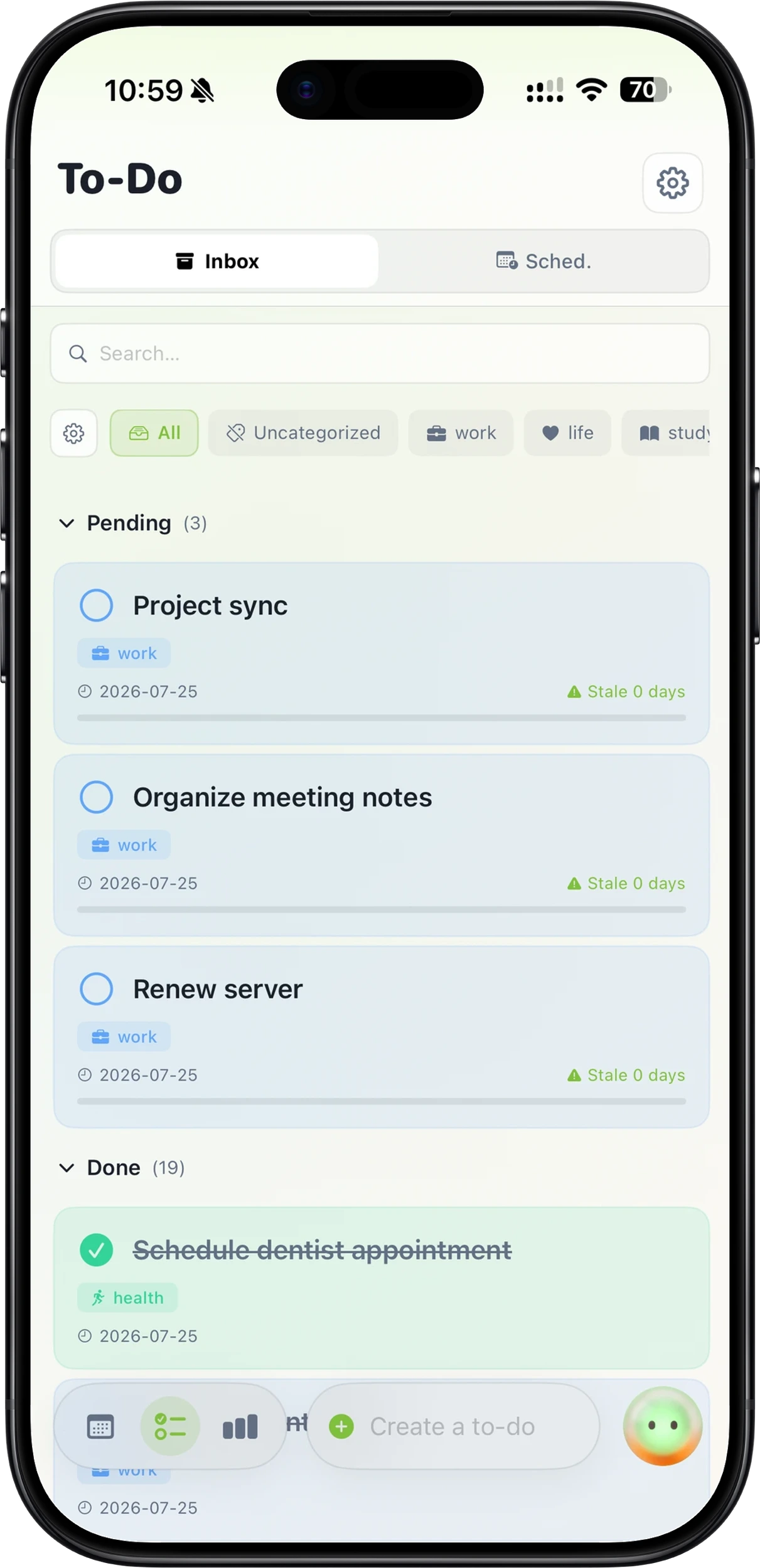
A simple drag,
and it's scheduled.
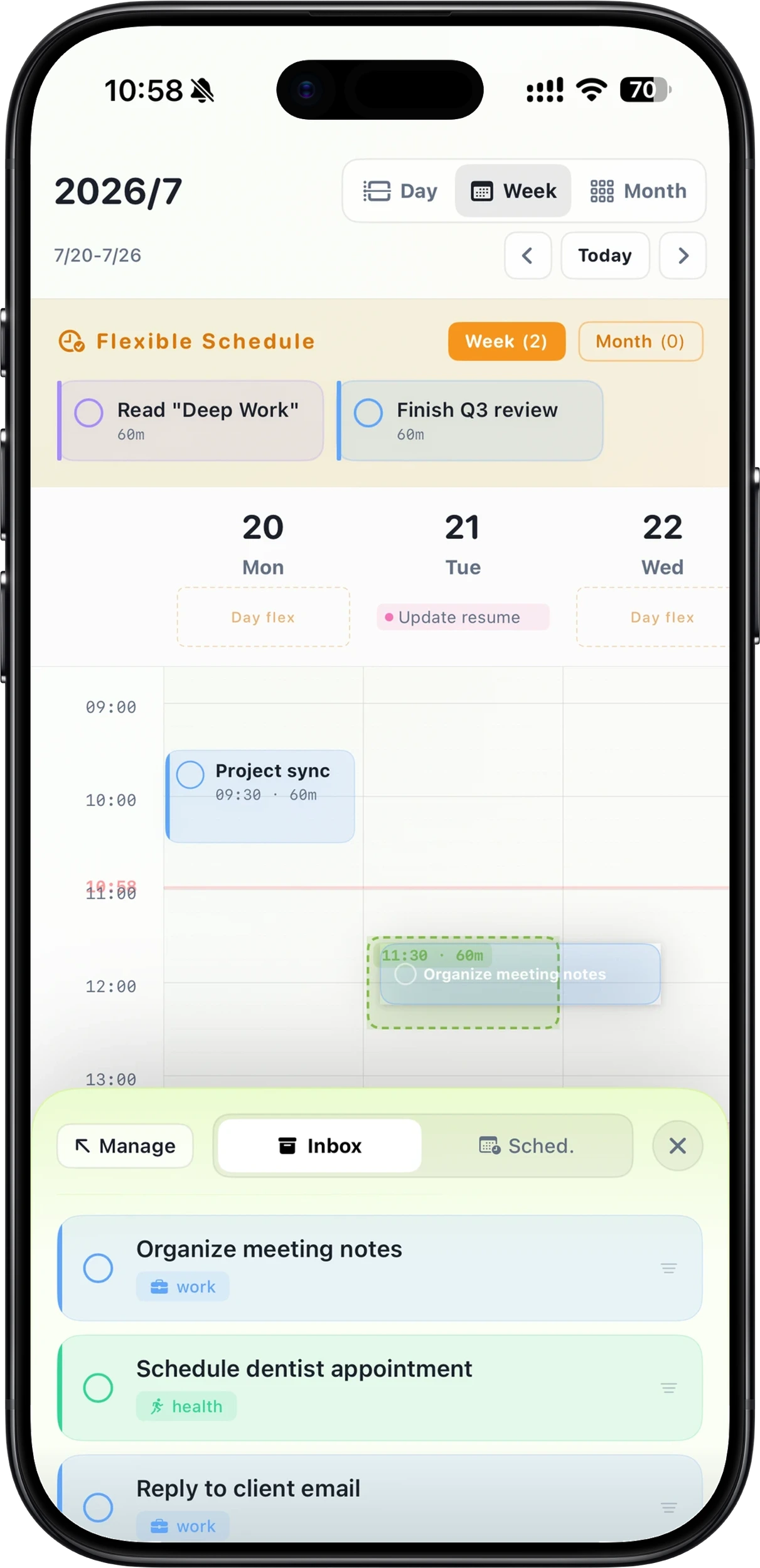
Drag tasks from the inbox straight into your calendar, and drag them back anytime. Fixed plans get exact times; flexible ones stay loose for the day, the week, or the month — across Day, Week, Grid, and Month views.
Keep exploring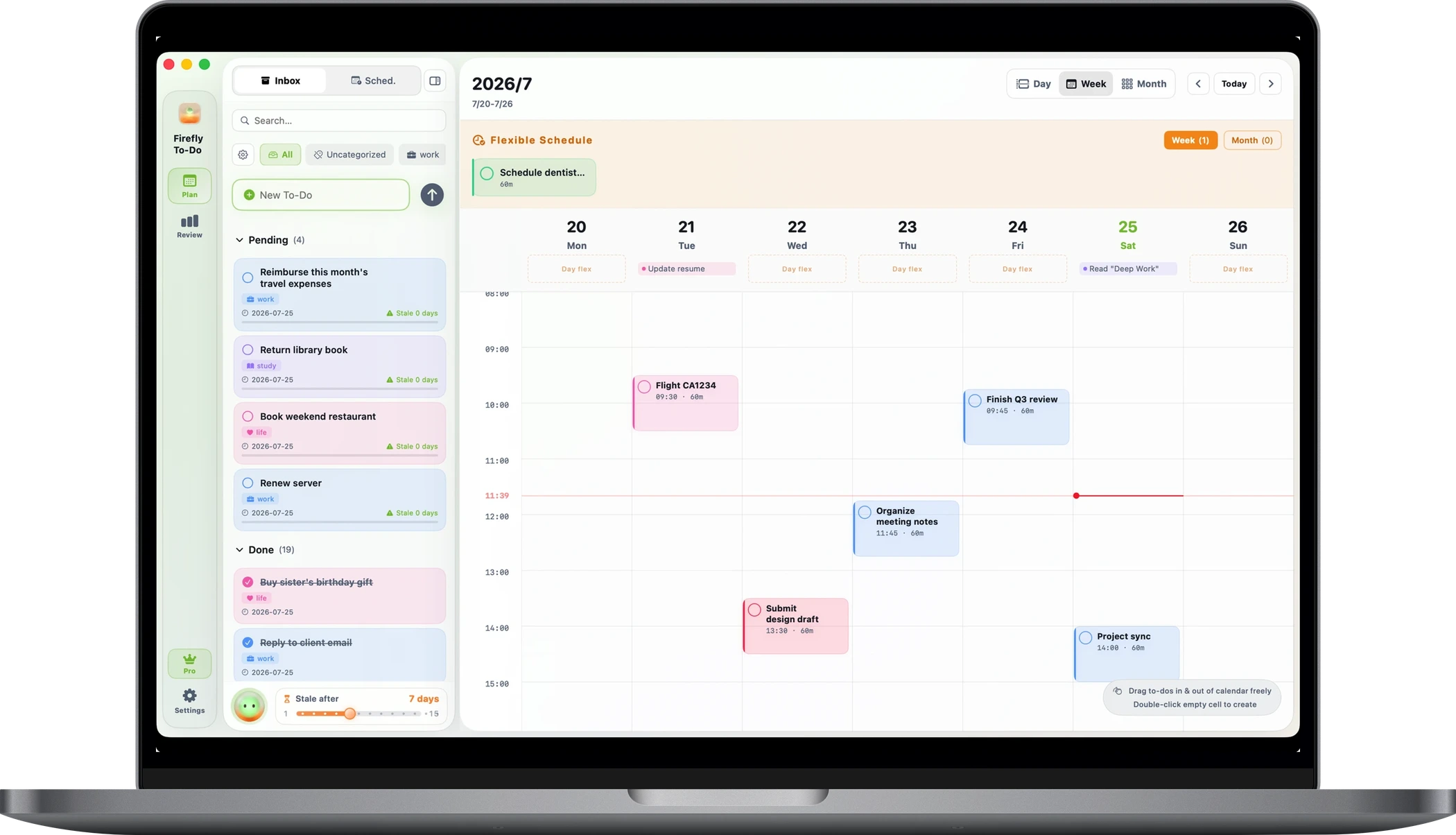
See plan
versus reality.
Reviews place your plans and what actually happened side by side. On time, early, late, or let go — each gets its own color. Note your thoughts in each execution record and plan more calmly next time.
See more details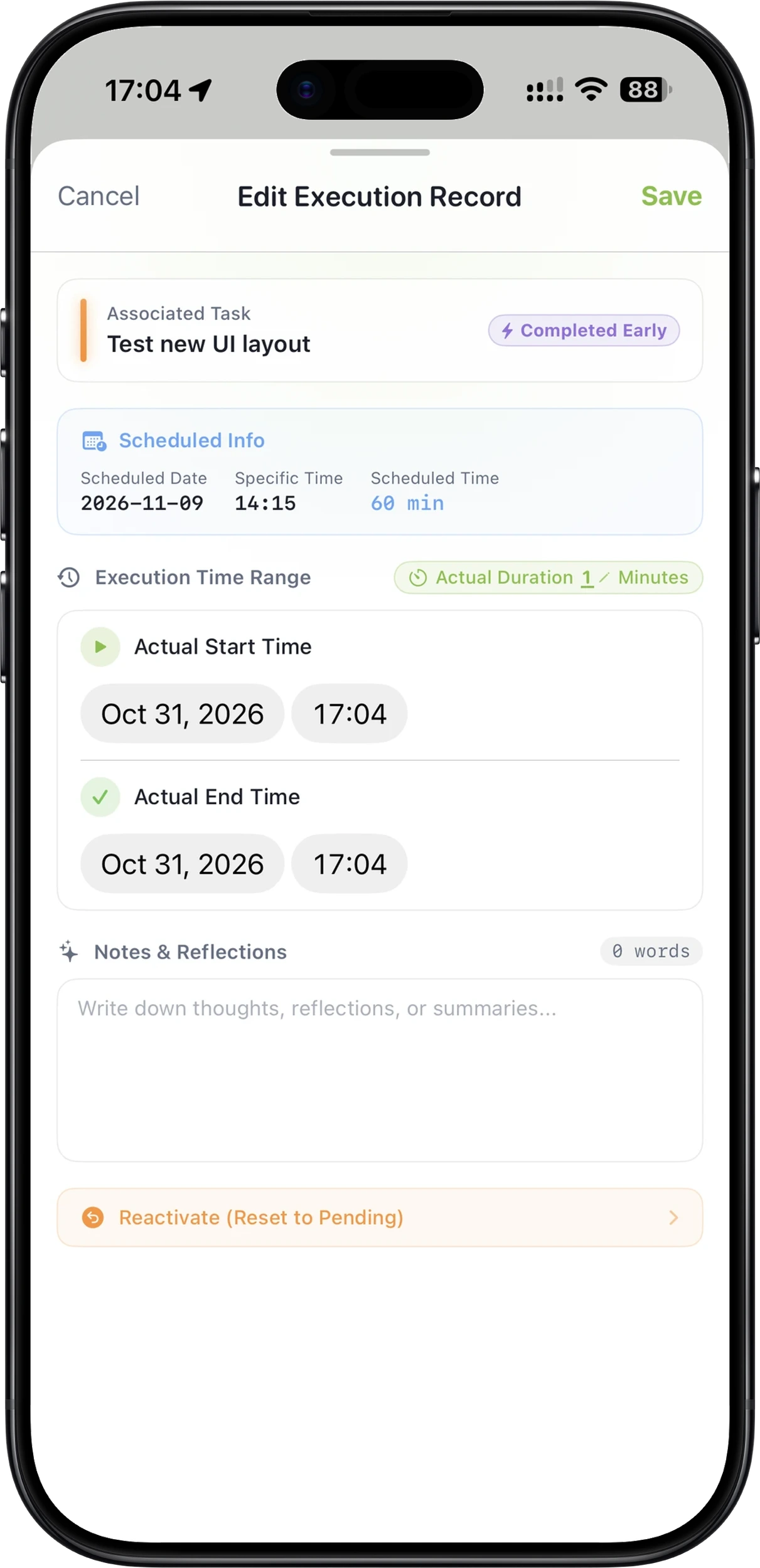
Give life a sense of order, while leaving room for freedom.
To-do lists and calendars were meant to be together.
THE DETAILS MAKE THE DIFFERENCE
Thoughtful details,
unfolded.
01 / CAPTURE
Put down what's
on your mind.
A forgotten bill, a work task, or a small idea for tomorrow. Drop it into your inbox without worrying about categories or time slots.
Zero-pressure inbox
Keep unscheduled tasks safely stored until you're ready to organize them.
Widgets, Shortcuts & AI
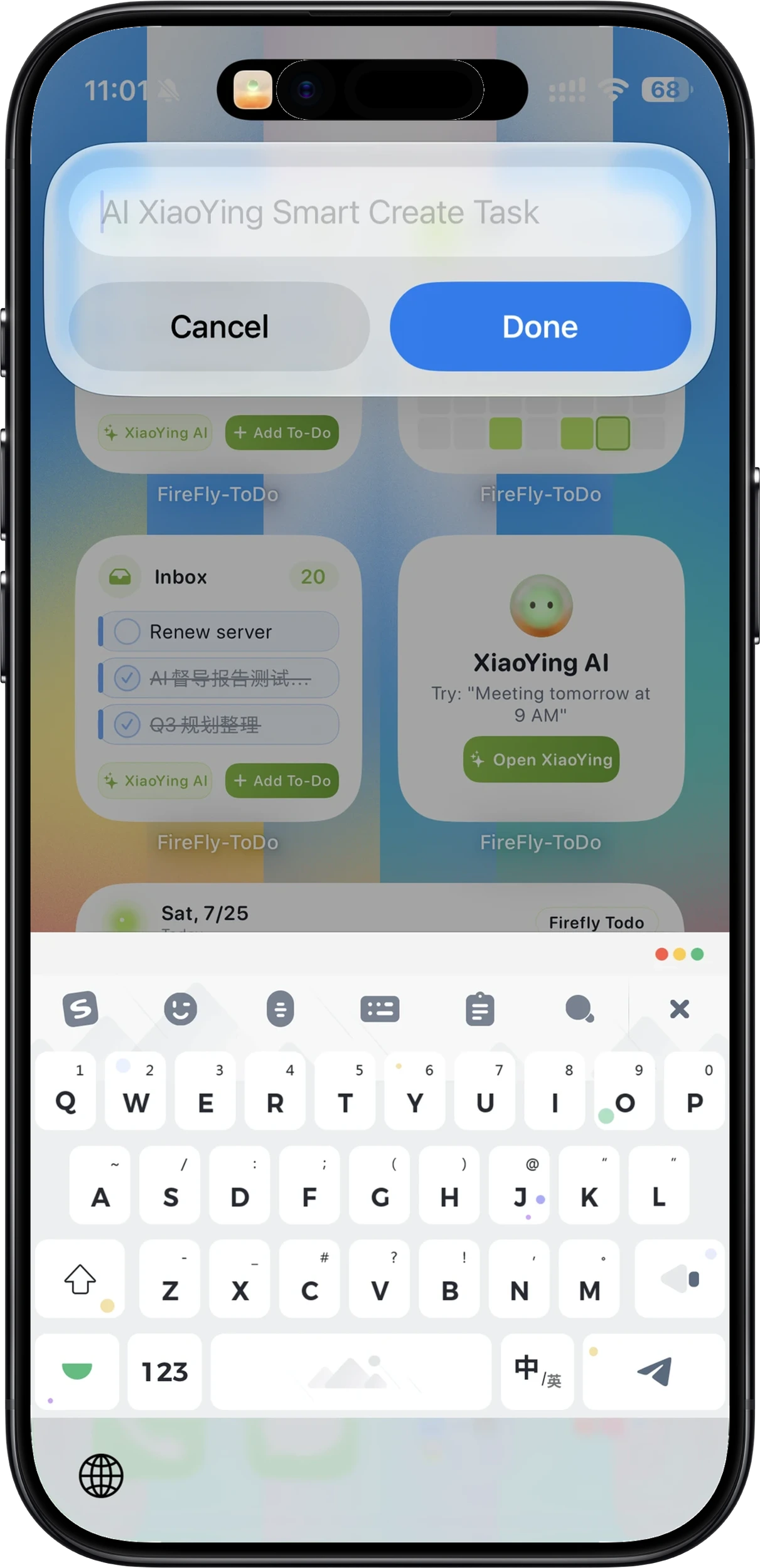
Start from the home screen, Lock Screen, or Shortcuts — or just tell the assistant what's on your mind.
02 / PLAN
A simple drag,
and it's scheduled.
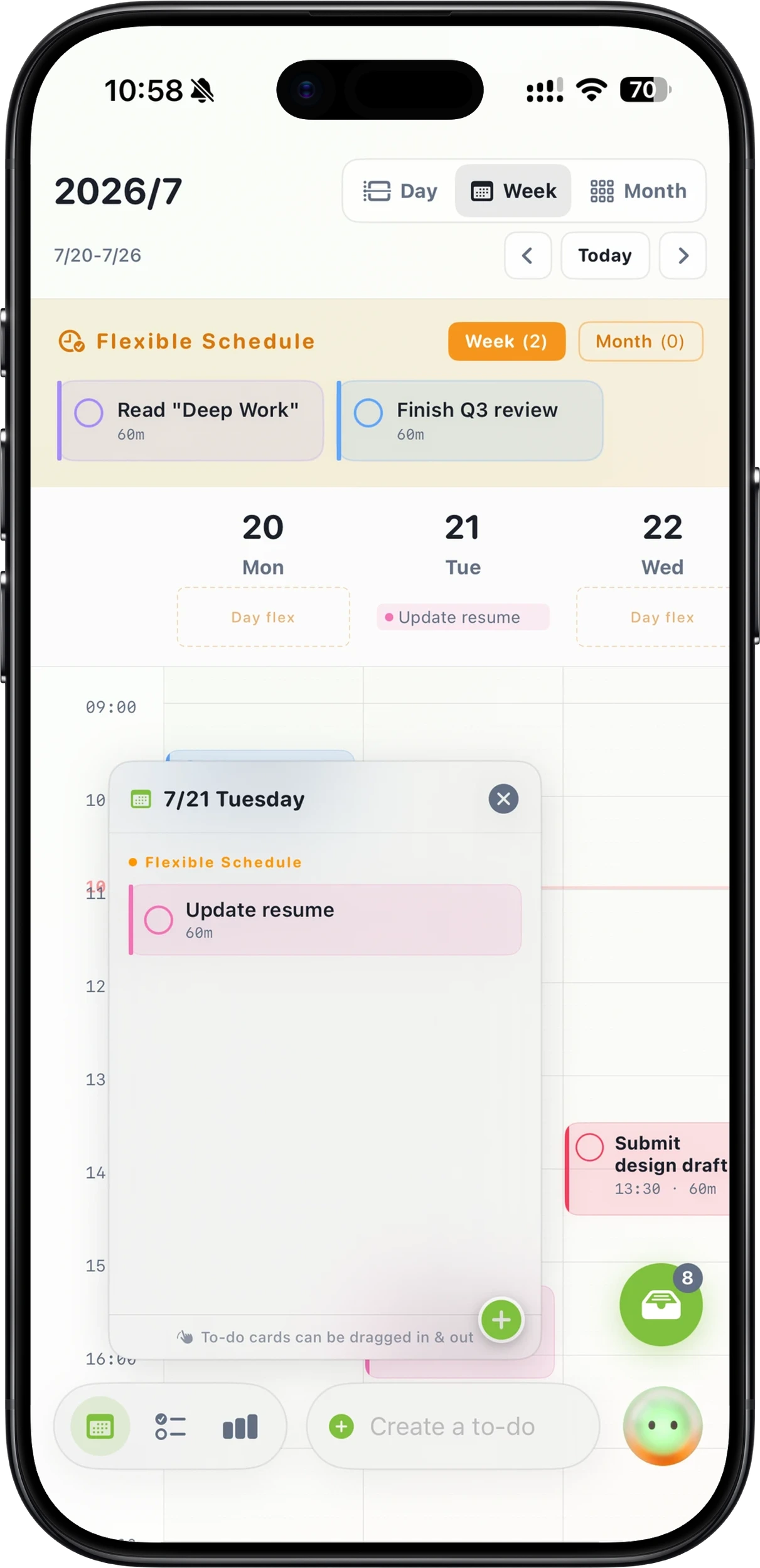
Drag tasks from the inbox straight into your calendar, and drag them back anytime. Fixed plans get exact times; flexible ones stay loose for the day, the week, or the month — across Day, Week, Grid, and Month views.
Intuitive drag-and-drop
Move tasks effortlessly between the inbox and calendar to tweak dates and times.
Flexible & fixed modes
Meetings get specific minutes; errands get general days. Not everything needs to be chained to a clock.
03 / EXECUTE
Start the timer,
stay in the moment.
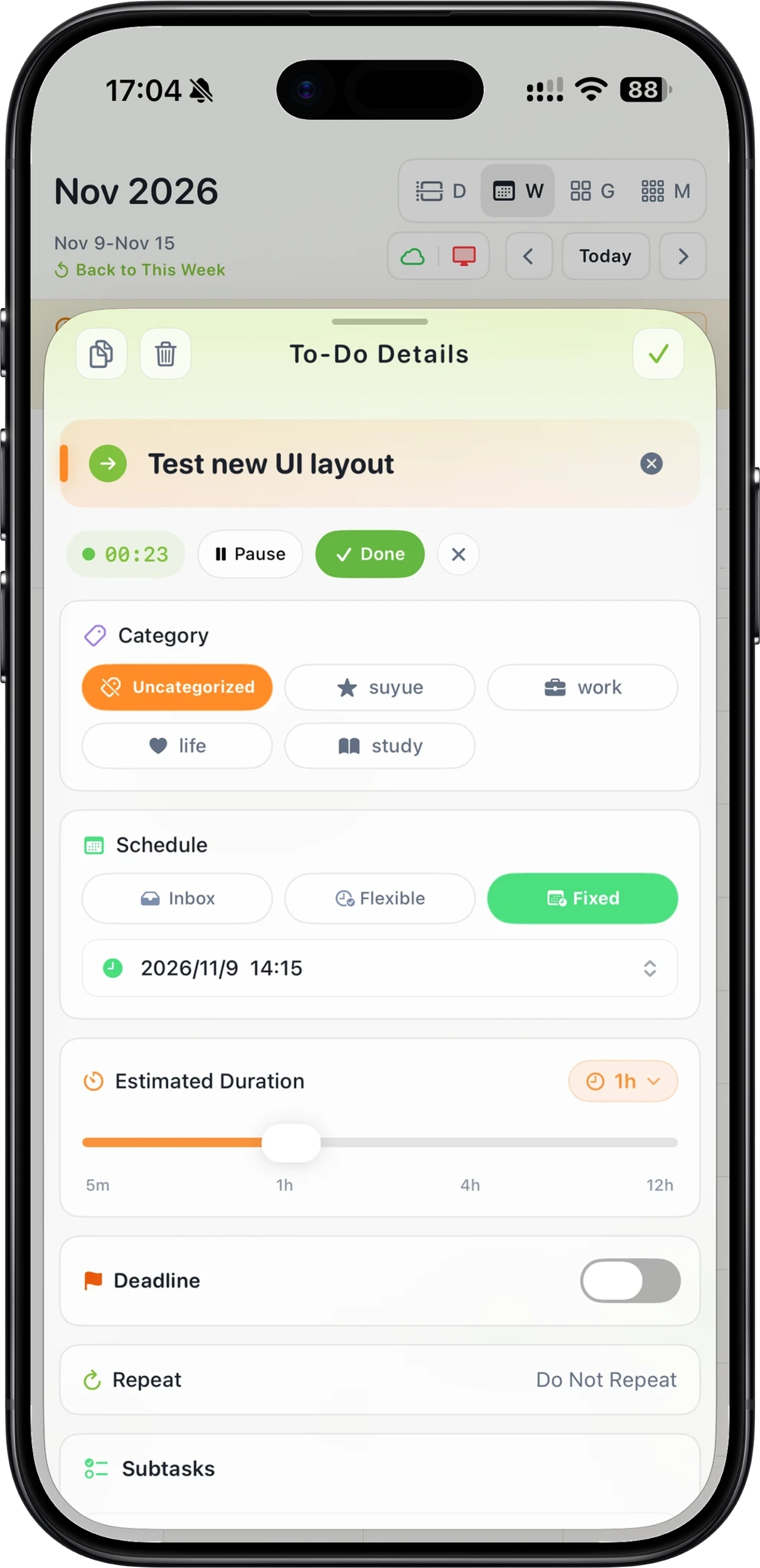
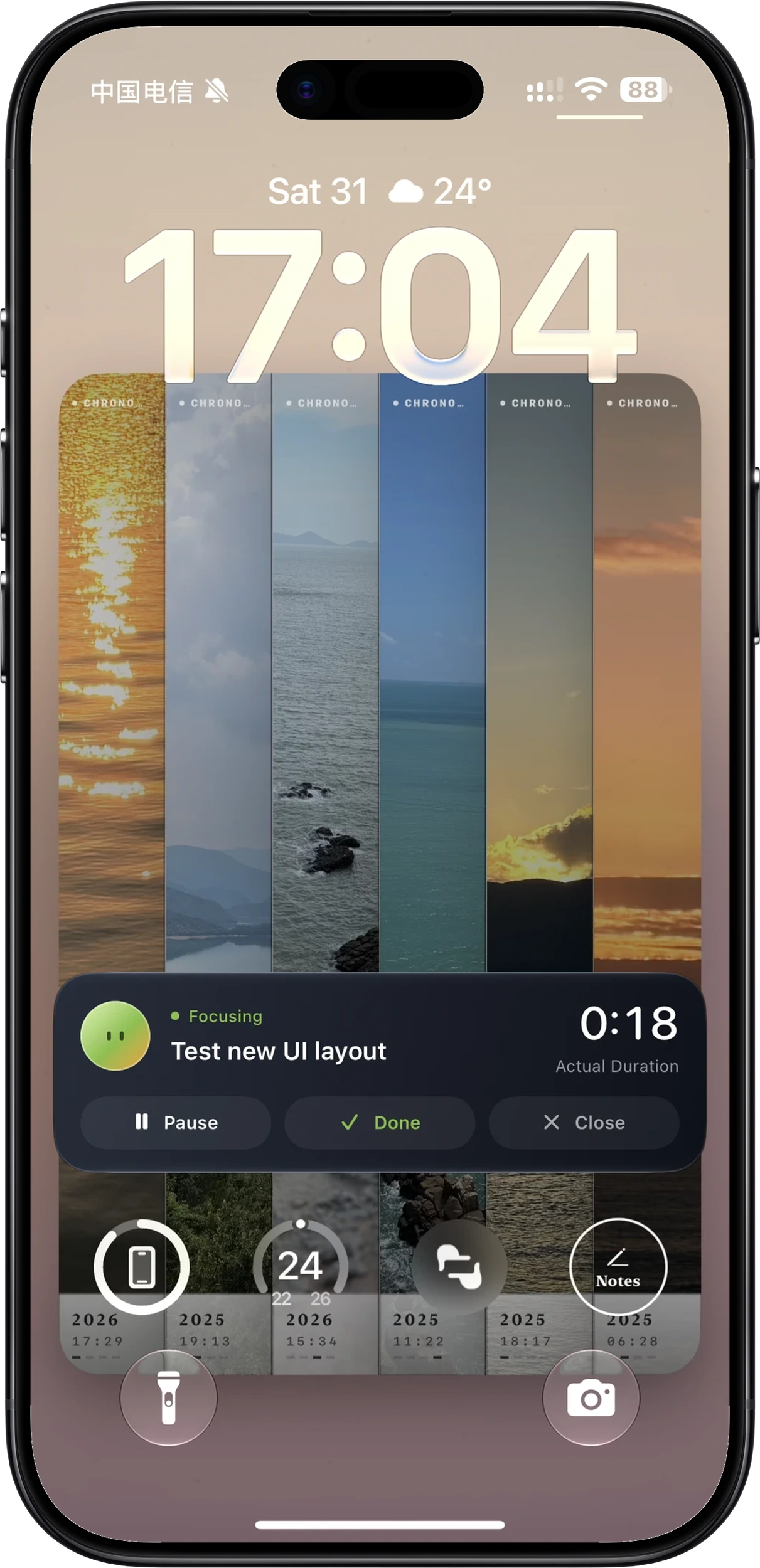
Set an estimated duration and start with one tap. The timer rests at the bottom of your calendar, and a Live Activity keeps progress on your Lock Screen — pause, finish, or adjust, all up to you.
Estimated duration & timer
Estimate first, then start. Knowing how long things take makes finishing calmer.
Live Activity on Lock Screen
Progress stays visible at a glance; pause or complete without unlocking.
04 / REFLECT
See plan
versus reality.
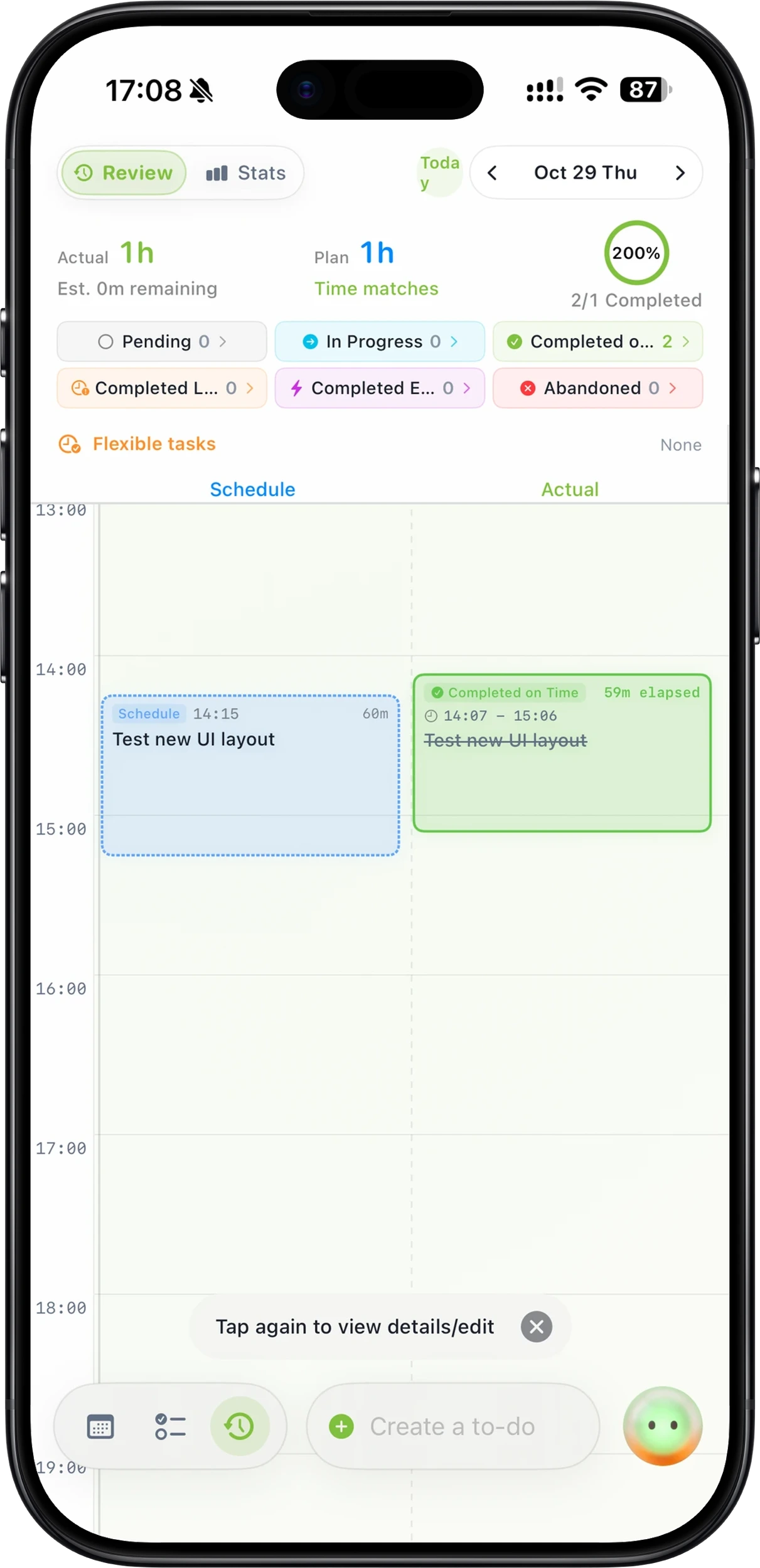
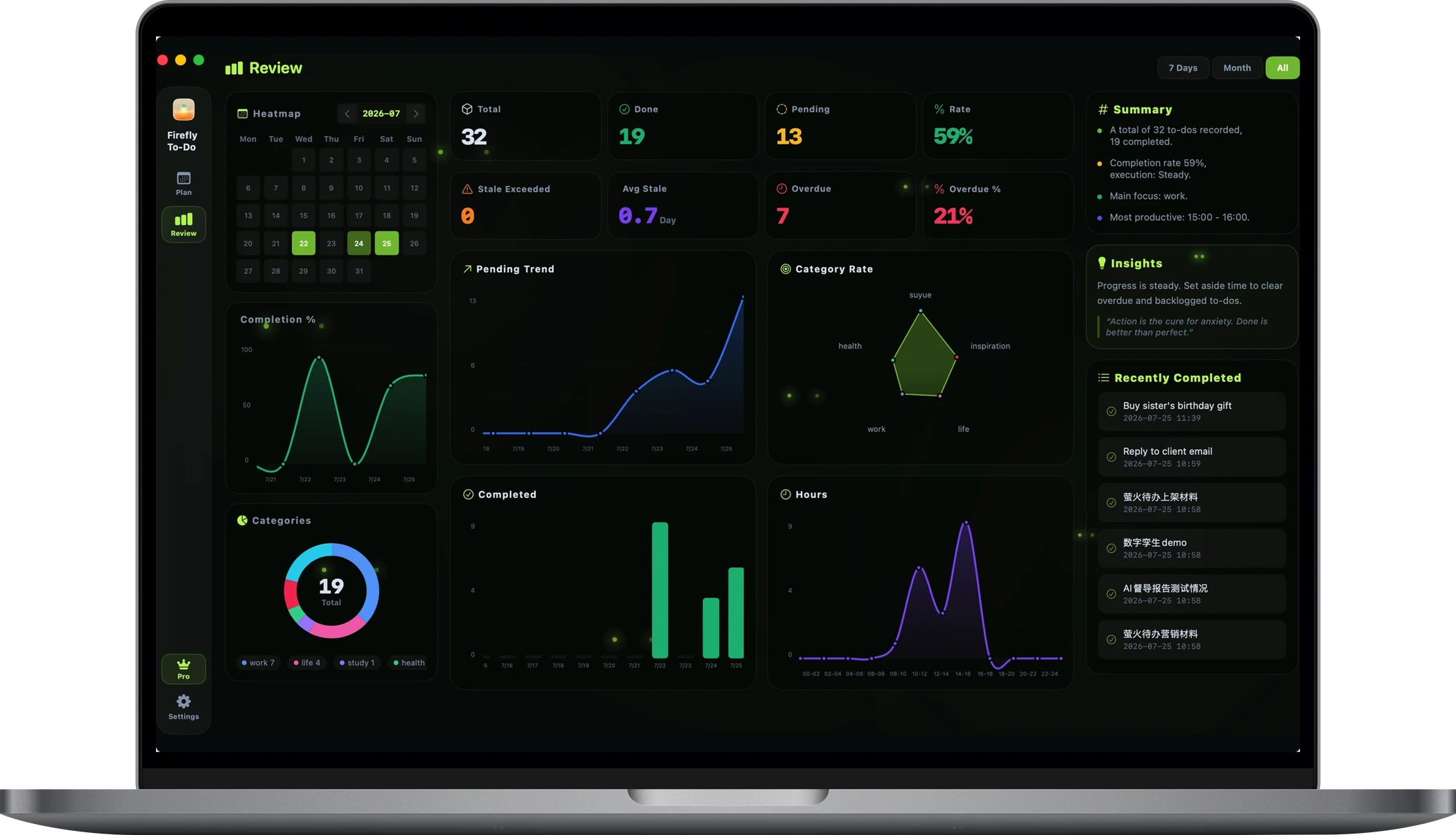
Reviews place your plans and what actually happened side by side. On time, early, late, or let go — each gets its own color. Note your thoughts in each execution record and plan more calmly next time.
Plan versus actual
Planned an hour — how long did it really take? Reviews make your estimates sharper over time.
Execution records & notes
Adjust actual start and end times, and jot down reflections while they're fresh.
05 / A LITTLE HELP
When plans change,
AI steps in to help.
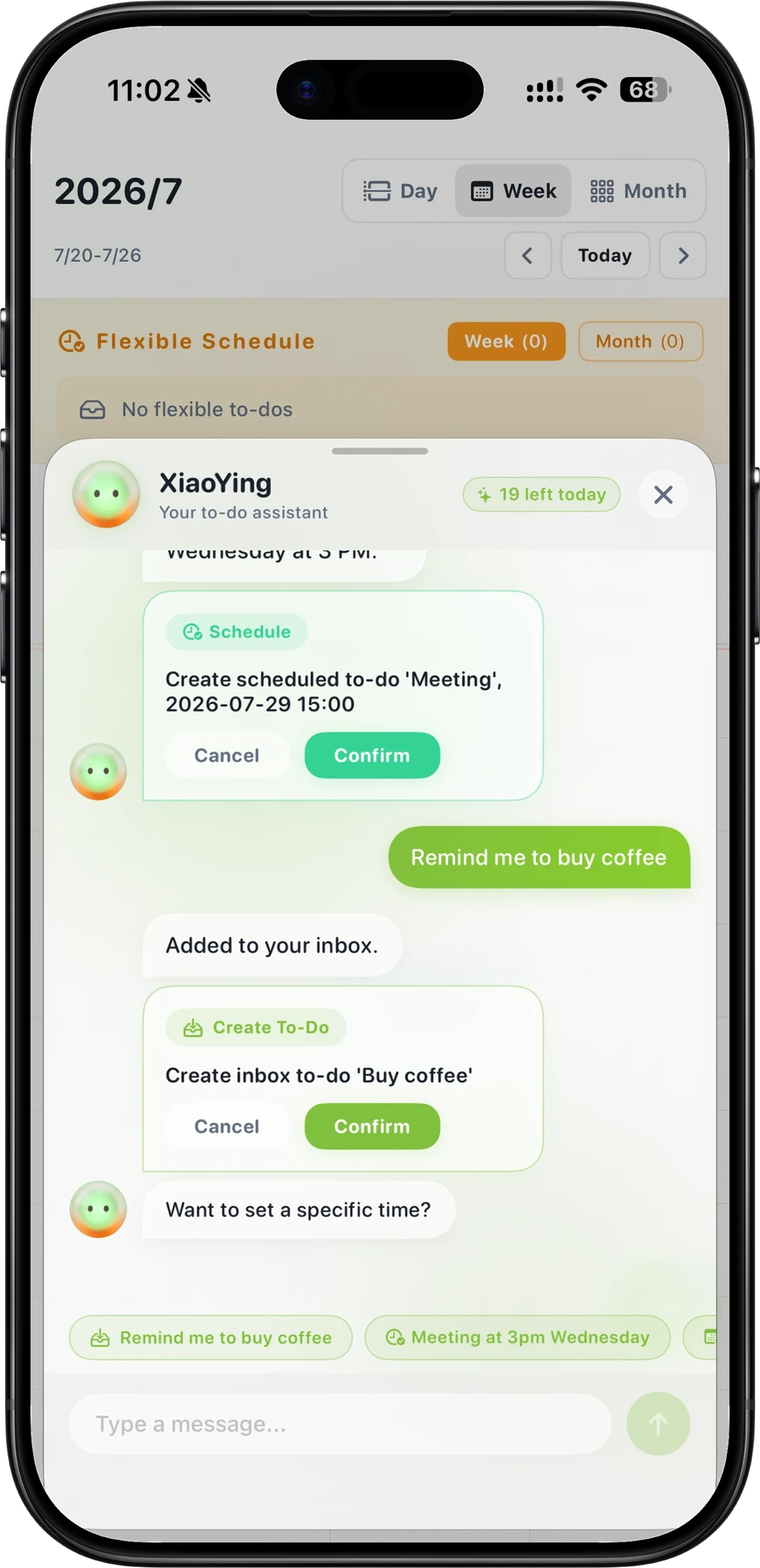
Chat naturally about your day to create or adjust your schedule. Get timely nudges for lingering or overdue items.
Conversational scheduling
Express your scheduling intent through natural chat, then fine-tune on your timeline.
Seamless Apple handoff
Sync records and schedules via iCloud across your iPhone, iPad, and Mac.
MORE TO EXPLORE
Thoughtful details, seen to be believed.
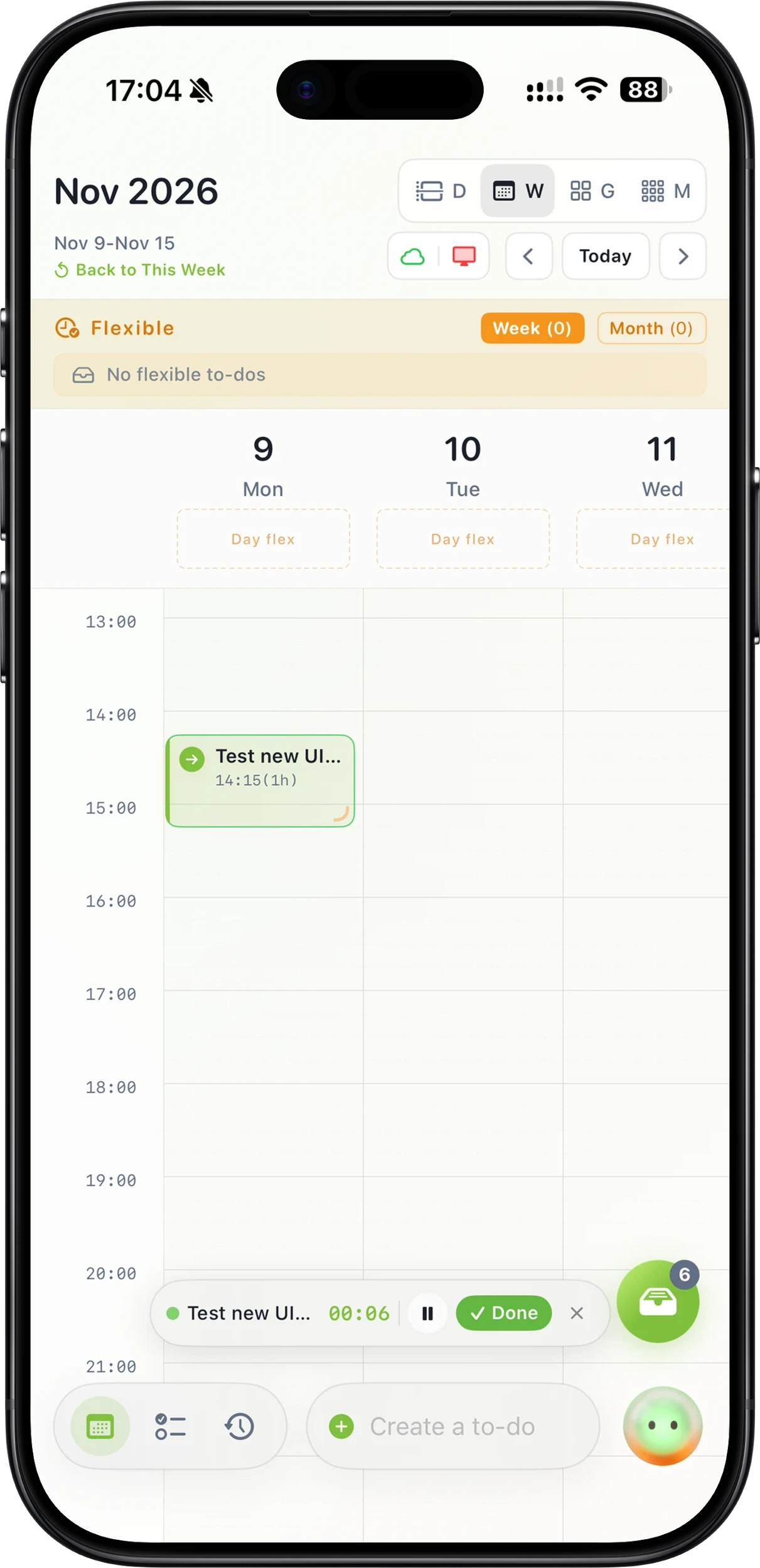 Flexible schedule and timer · iPhone
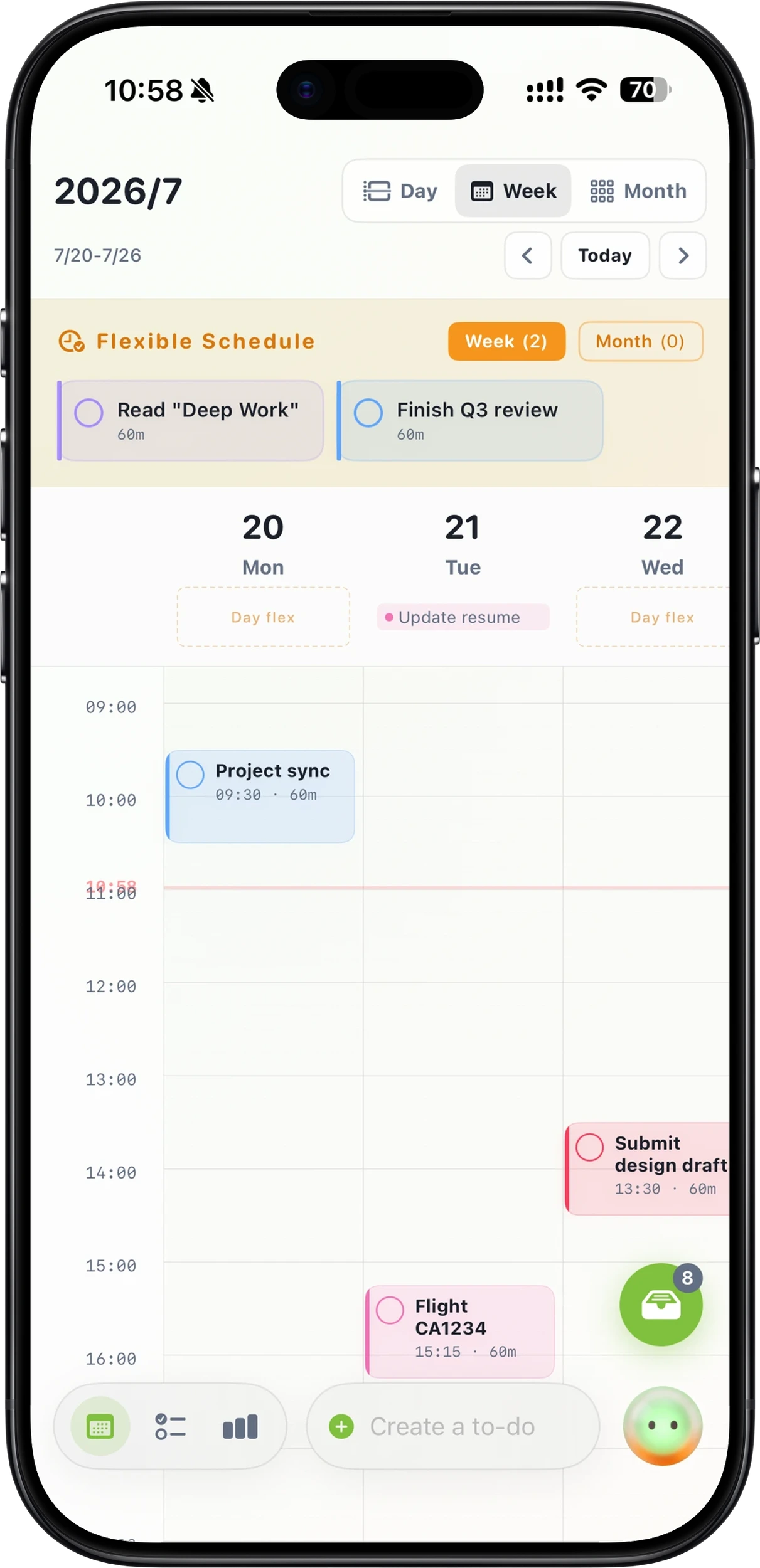 Calendar week view · iPhoneZero-pressure inboxDrag-and-drop schedulingFlexible ScheduleTo-do details with timerExecution record and notesLive Activity on Lock ScreenPlan versus actual reviewAI assistant
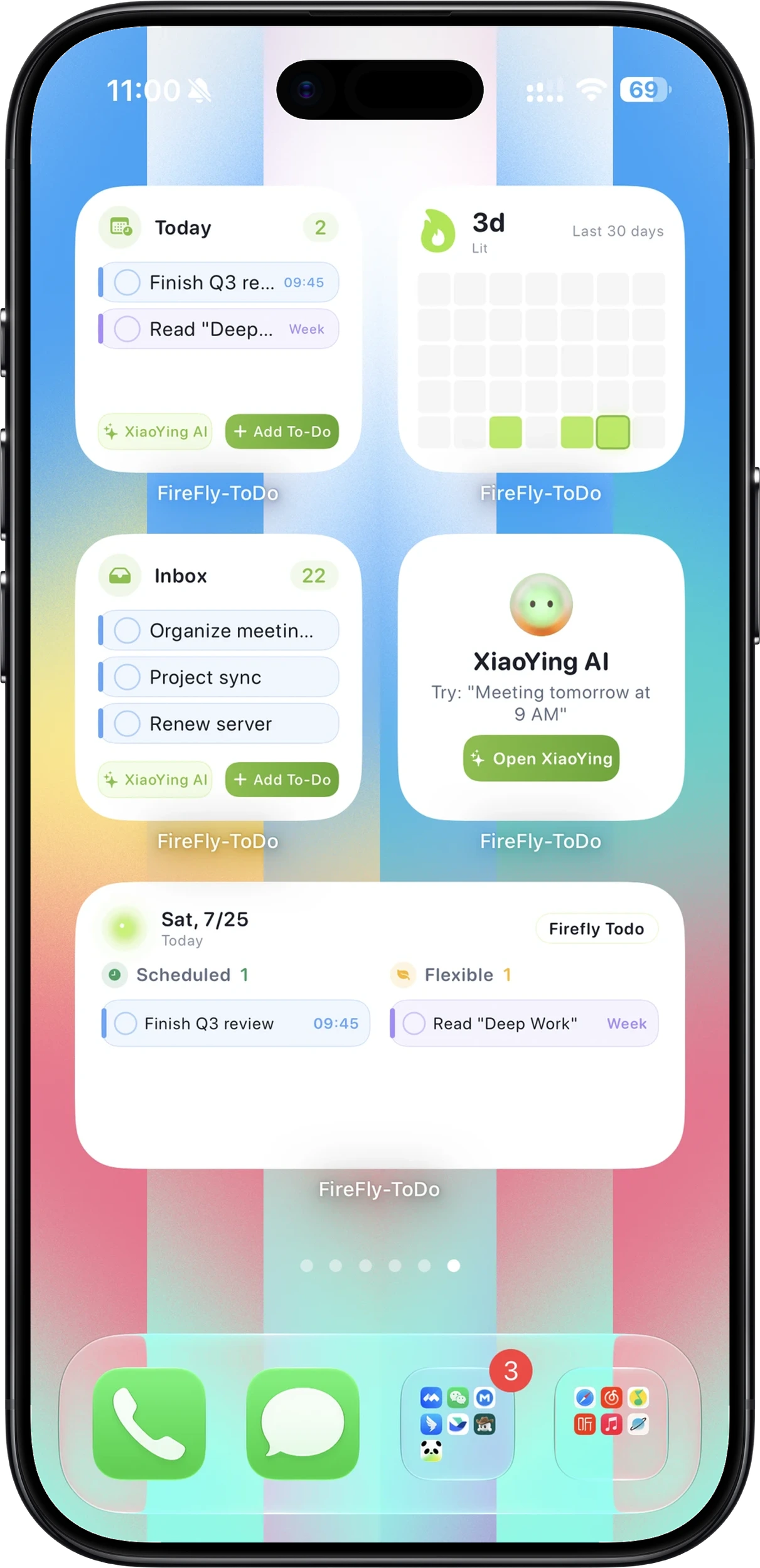 Home screen widgetsShortcuts and AI captureCalendar and inbox · MacReview on Mac
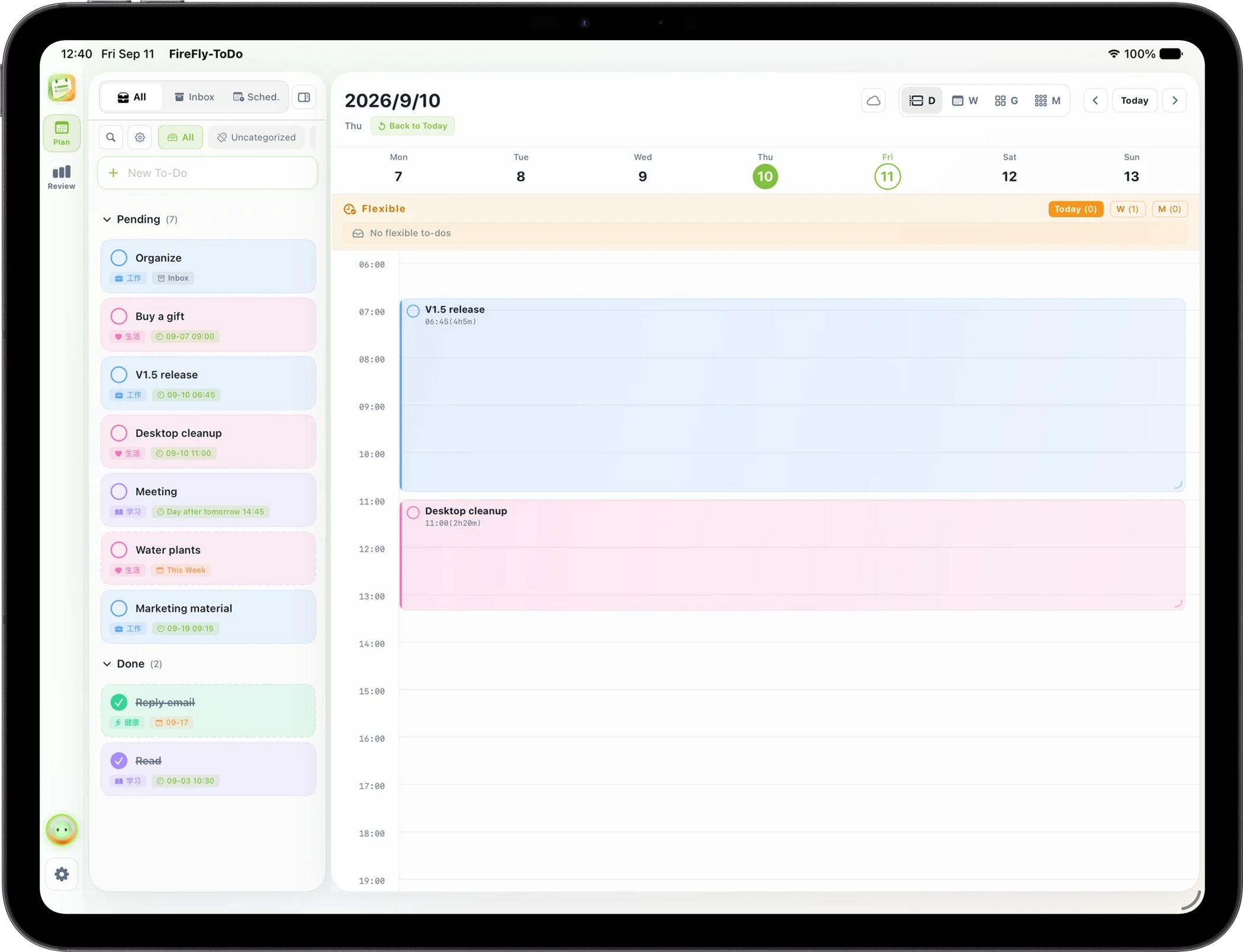 Day view · iPad
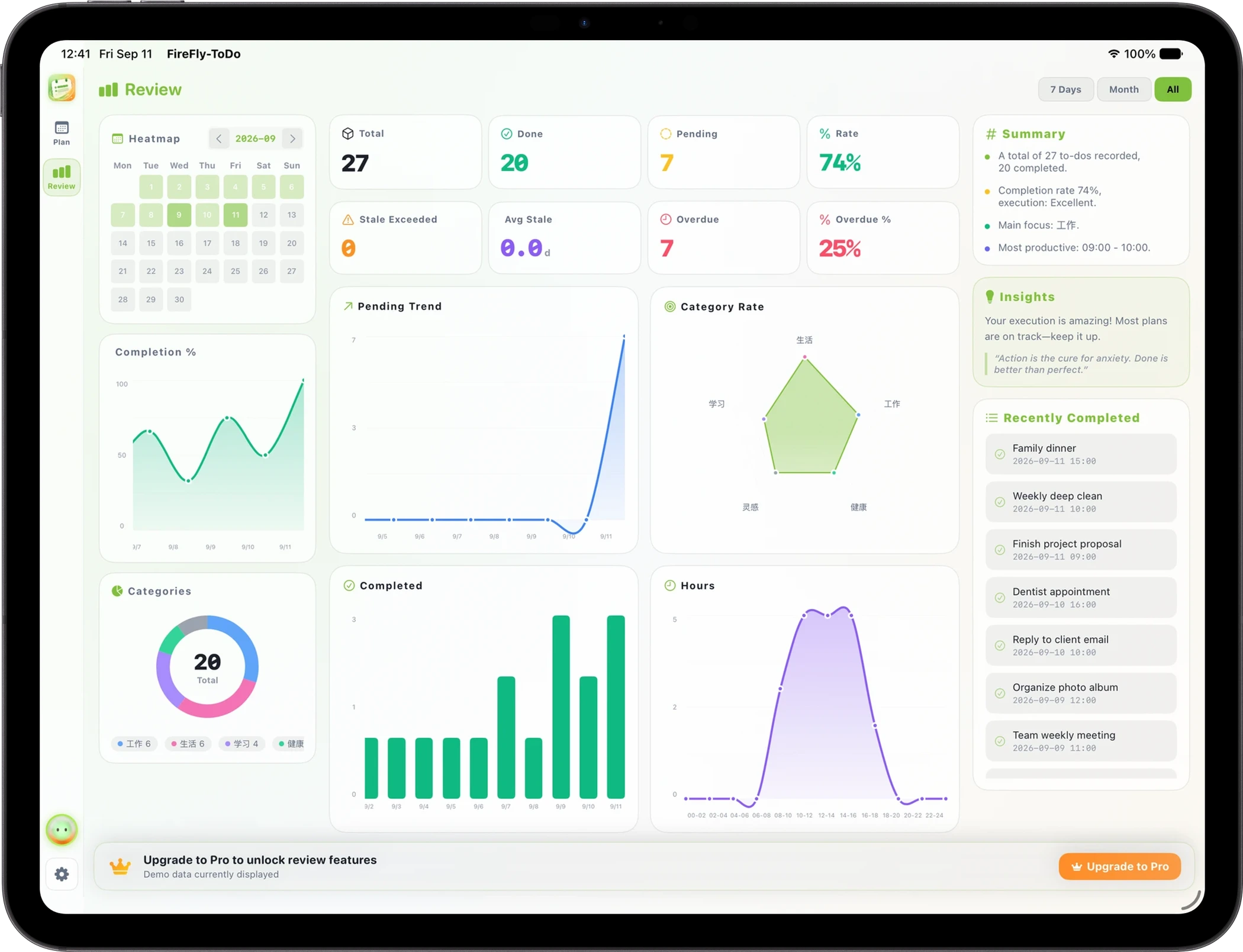 Statistics · iPad
Swipe left and right; click to view full screen.
MAKE IT PART OF YOUR DAY
Make FireFly-ToDo,
part of your day.
Collect tasks in your inbox, then drag them into your calendar. Keep fixed plans precise and flexible ones loose. Start a timer when you begin, and see plan versus reality in gentle reviews — so your plans keep pace with life.
Pricing, in-app purchases, and requirements subject to App Store or release pages.
Screenshots showcase actual app interfaces. Features and design may evolve with updates.


